



Loading the page…

Machines on-call for humans

Written by
 Varun KrovvidiProduct Marketing Manager
A non-trivial amount of engineering time goes to daily operational work that has no accounting. Watching every deploy, catching drift, re-investigating the p99 that came back last week, producing the capacity report someone asks for.
This work has no fire attached to it, which is exactly why it is hard to name. But it is the work that keeps engineering ahead of its problems. Catching an issue before it becomes one, or staying vigilant on a fragile service, takes continuous attention that no human rotation can sustain. So it does not happen, and its absence is what keeps a team reactive. You hear it said the same way everywhere: "we only found out a change broke something when a customer told us." A team with its hands full firefighting has no capacity left to prevent the next fire.
At Resolve AI, we are building agents to run and fix your software. Engineering teams delegate on-call to agents, co-work with agents to resolve incidents, and hand the recurring operational work to background agents that run on a schedule or a trigger. Background agents are designed to make your engineering proactive. Instead of opening your day to a queue of alerts, you open it to a priority list of what already got done.
A background agent runs indefinitely to accomplish a task you give. It is always on standby and wakes on a trigger. It wakes up three ways:
You tell it what to do with tasks and skills:
A single task usually pulls on several skills to reach its objective, and standing up new work is closer to writing a sentence than building a pipeline. Its state is durable, so tasks, memory, and the files it produces survive restarts. And it learns, capturing how your team uses it over time and compacting what it knows to stay on task.
Every operational task is two things multiplied together: the operation and the production context you need to run it.
The context dwarfs the operation, and it grows every quarter even when the task never changes. Context is the half a frontier model CANNOT help you with. A general-purpose model does not hold your topology, your tools, or what changed. So the toil is navigating the environment to set the analysis up, every single time.
A background agent carries that environment as a live context graph. Once the context is available, every recurring task becomes delegable.
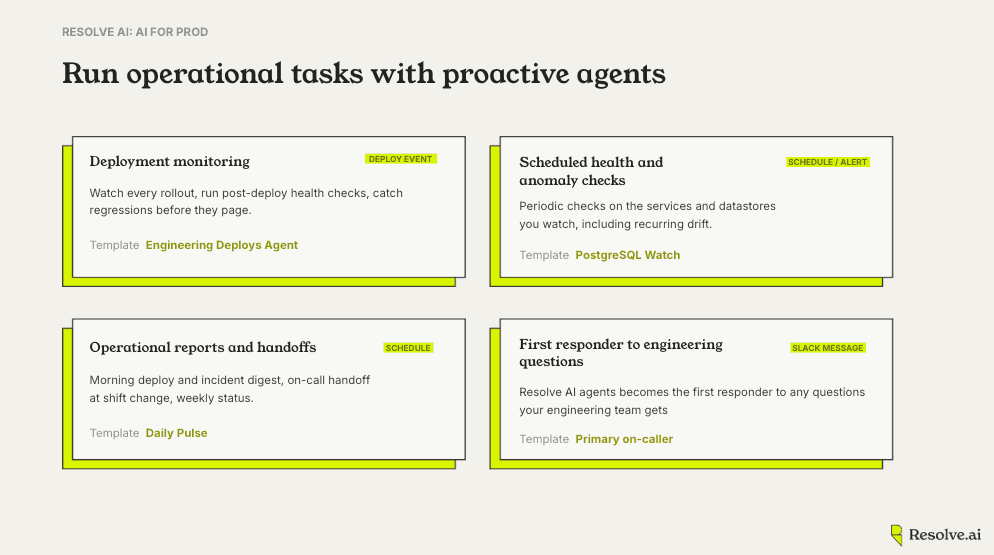
Most regressions are introduced by a change, and the cheapest window to catch one is the few minutes right after the change lands. That window rarely gets watched, because whoever shipped has already moved on and the deploy did not page anyone.
A background agent on your deploy stream wakes on every rollout, runs the post-deploy checks you would run by hand, and compares against the baseline it already holds for that service. When conditions like error rate, latency, or saturation moves outside normal, it surfaces the regression while the change is still fresh and the rollback is still cheap (instead of two hours later when it has become an alert on someone else’s shift).
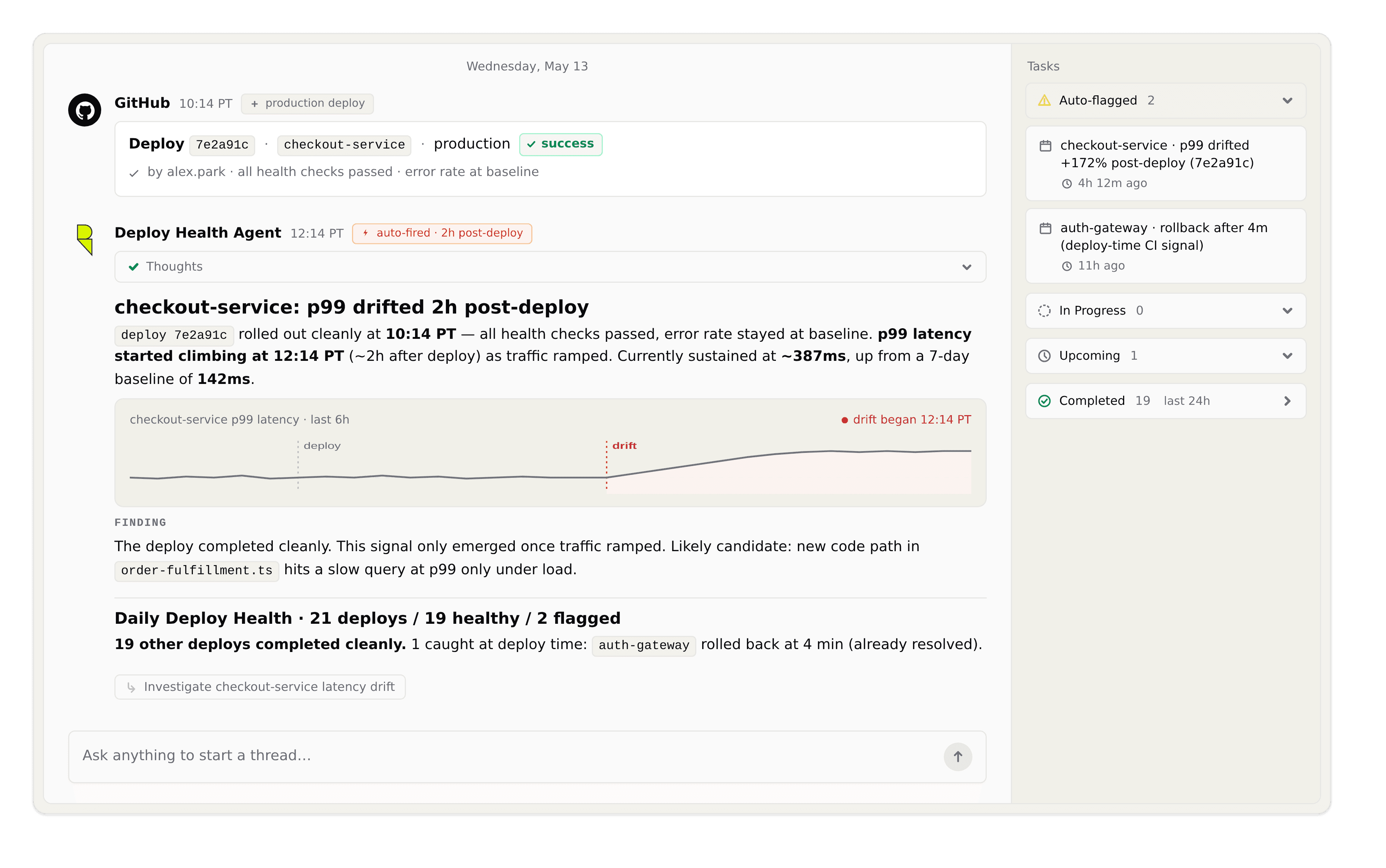
Tip: Scope the agent to the services and signals that matter for each deploy, and let it decide whether a movement is worth surfacing. When the agent flags a regression, use Resolve AI to investigate further to expose the root cause.
Slow degradation is the failure mode pages least and hurts the most. A p99 creeping up a few milliseconds a week or a queue that is fine until the day it is not. Each one is obvious in hindsight and invisible in the moment, because no single reading crosses a line.
A scheduled agent runs the periodic checks on the services and datastores you care about, holds the trend across runs instead of judging one snapshot, and investigates when something moves the wrong way.
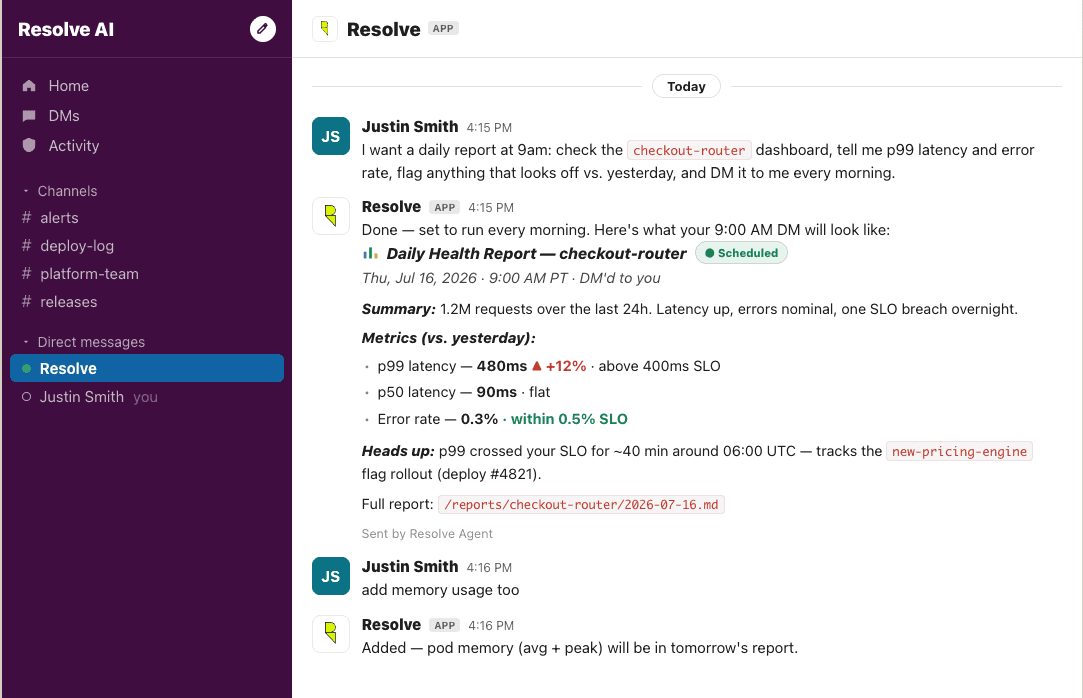
Tip: Encode the check itself as a skill so every run is consistent. Let the agent open an investigation automatically when the trend crosses your line rather than waiting for the threshold alert to fire.
On-call and operations produce a steady amount of writing that no one wants to do: the morning deploy and incident digest, the handoff at shift change, the weekly status. It is low-value to write and high-value to have, which is exactly the work that slips.
The agent already has the raw material, because it has been watching deploys, running checks, and holding state across the week. It assembles the digest on schedule and posts it to Slack, so the next person starts the shift with real context instead of scrolling back through channels to reconstruct what happened.
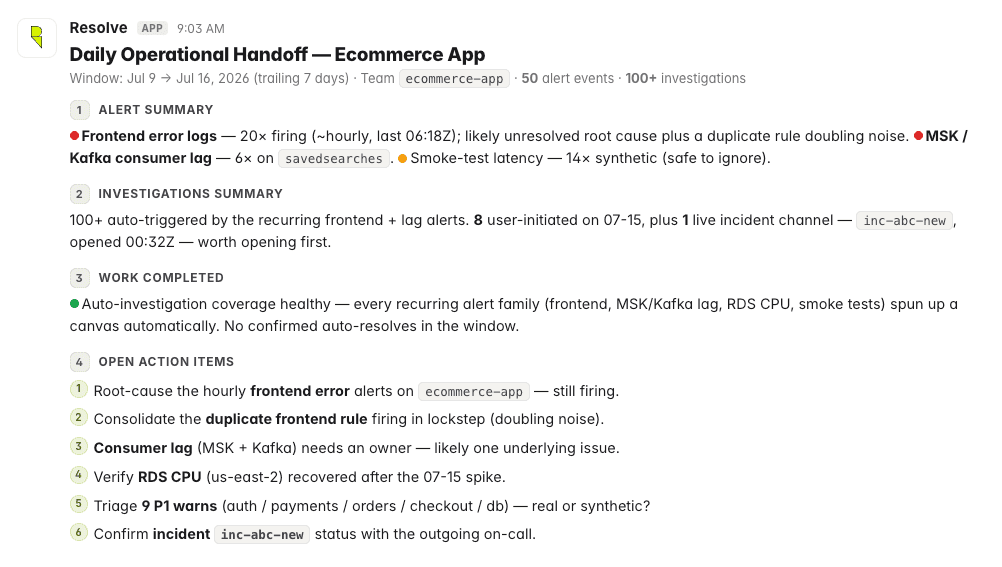
Tip: Give it your report templates as skills so drafts come out in your house format, and since it posts to Slack, ask your follow-up questions in the same thread. It answers from the same context that produced the report.
A large share of an engineer’s day goes to answering other team members. Why is this service slow, who owns this dependency, what changed before the latency moved, is this safe to deploy. Each shoulder tap is small, and together they fragment the day of whoever happens to hold the context.
A background agent triggered by messages becomes the first responder to those questions. Someone asks in Slack, the agent answers from the same production context it uses everywhere else, and a human gets pulled in only when the question actually needs one. The person who used to be the default answer stops getting interrupted for what the agent can handle, and the asker gets an answer in seconds.
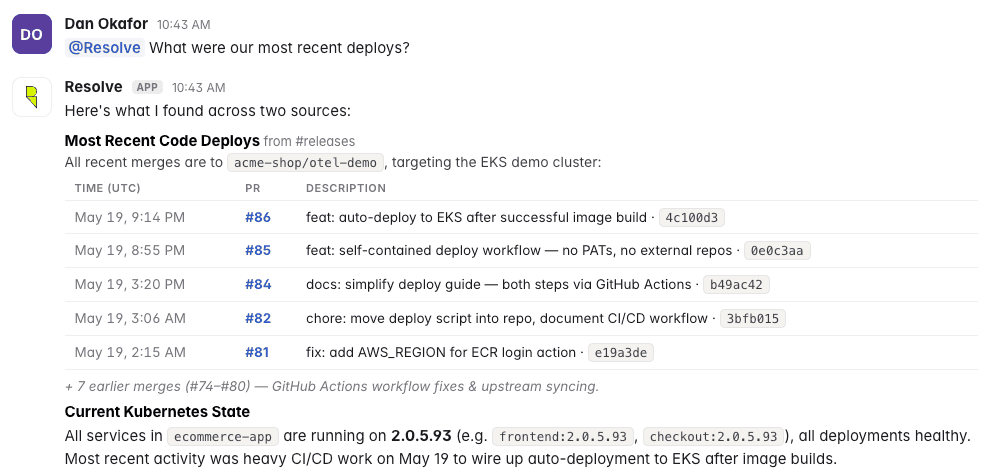
Tip: Put the agent in the channels where the questions already land, so the Slack message is the trigger. Over MCP, the answer and any root cause it finds are available to the other agents your team runs, so the context does not stop at the reply.
Background agents run on the same architecture as the rest of Resolve AI. So what one learns is available to the others, and anything an agent proposes to change goes through a human review gate before it touches production.
Three things to take with you. The largest cost of operational work is navigating the environment, not doing the task. Background agents reason over that environment instead of executing fixed steps, which is why they can run on a schedule or a trigger and still produce something you trust.
And standing up new work takes a sentence, so the work that used to be invisible finally has an owner, and your team gets to spend its attention ahead of the problem instead of behind it.
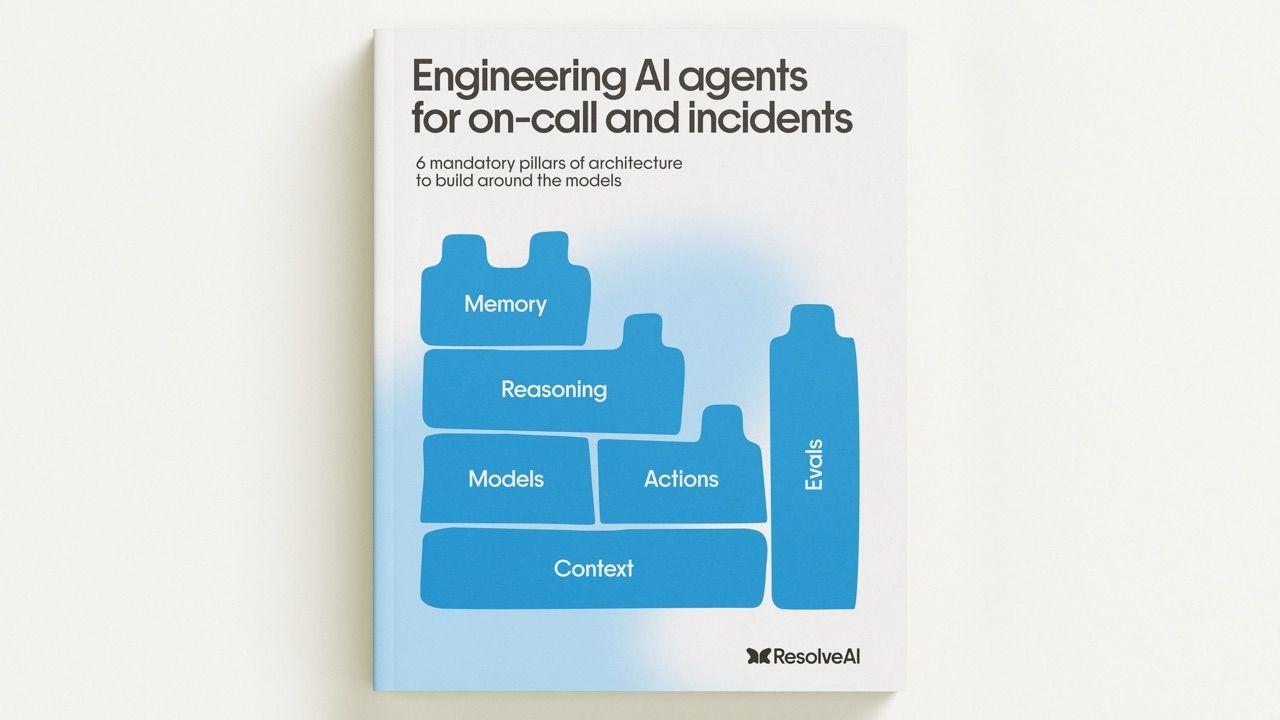
AI for prod ebook
Learn how top engineering teams use AI to run production.
See the agents that run and fix software in action
Join our engineering leads for "Behind the Build", a webinar series deep-dive into how we built agents that run software.